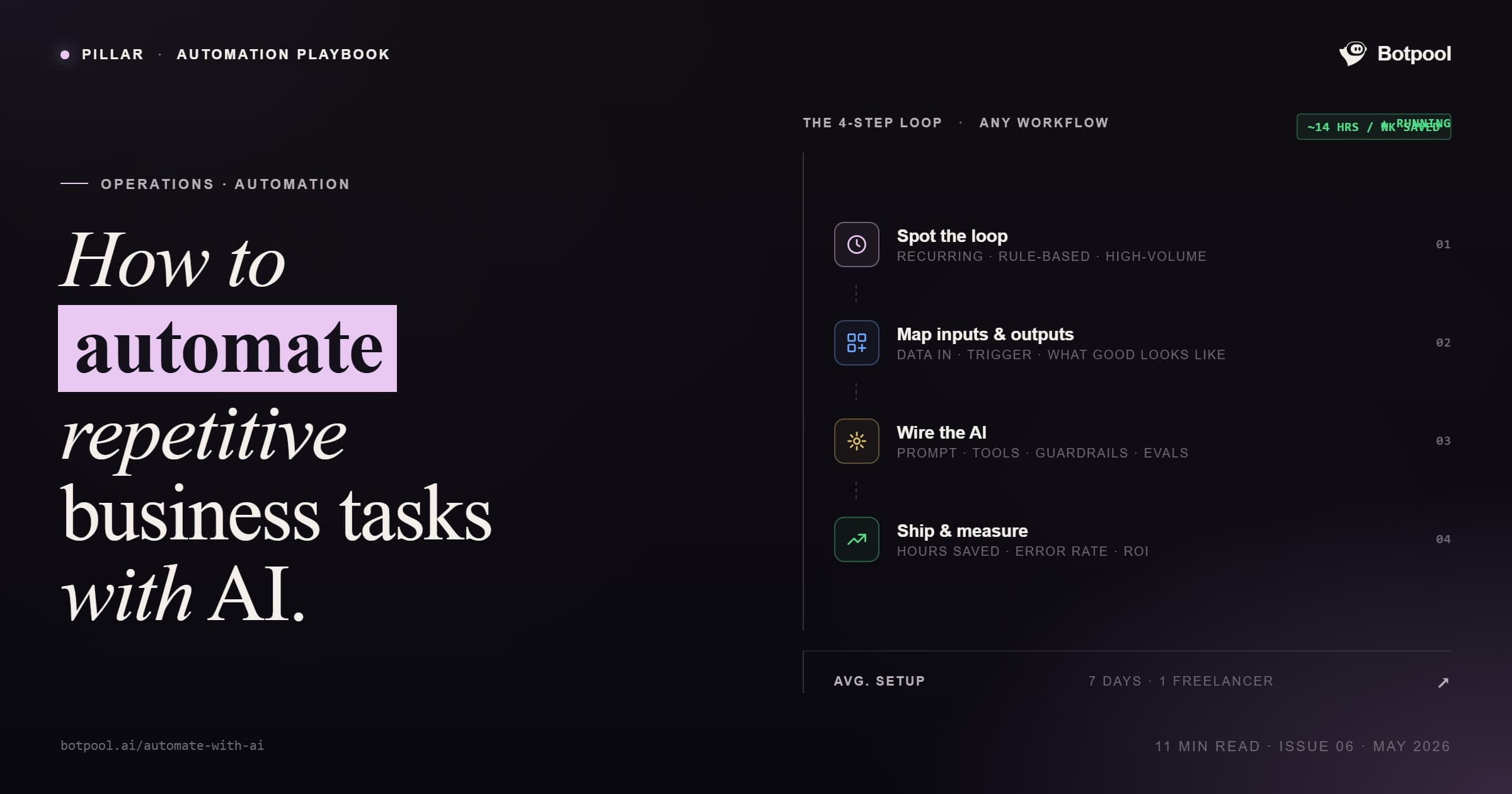

You can automate repetitive business tasks with AI by identifying high-volume, rules-based work such as data entry, email replies, scheduling, and reporting, and then connecting it to no-code tools like Zapier, Make, or Microsoft Power Automate. Add an AI layer, such as ChatGPT or Claude, for tasks that require context, like drafting replies or summarizing documents.
McKinsey reports employees spend up to 28% of their workweek on tasks that could be automated today. This guide shows you exactly which tasks to automate, which tools to use, and when to hire help.
What Does It Mean to Automate Repetitive Tasks with AI?
AI automation uses software to handle tasks that follow predictable patterns. Unlike traditional automation that relies on strict if-then rules, AI can interpret context, make small decisions, and work with messy data such as emails, PDFs, and chat messages.
This matters because most business work isn't perfectly structured. AI fills the gaps that older automation tools couldn't, which is why more teams are starting to use AI in their business for everyday operations, not just one-off projects.
Why Should You Automate Repetitive Tasks in 2026?
The numbers explain the urgency.
McKinsey's November 2025 report found that 57% of US work hours could already be automated with current technology. A separate McKinsey study estimates 60% of all occupations have at least 30% of their tasks ready for automation.
For small businesses, the impact is direct: 94% of employees regularly perform repetitive tasks (Kissflow), and 51% spend at least two hours every day on them.
Automating just a few of these tasks frees up time for the work that actually grows the business.
What Are the Best Repetitive Tasks to Automate First?
Start with tasks that are high-volume, rules-based, and don't need human judgment. The most common starting points:

Data entry and form processing (invoices, customer details, lead lists)
Email triage and routine replies (FAQs, follow-ups, confirmations)
Meeting scheduling and calendar management
Customer support tickets (Tier-1 questions)
Social media posting and basic reporting
Lead capture and CRM updates
Document summarization and meeting notes
Recurring reports and dashboard updates
Which AI Tools Should You Use to Automate Business Tasks?
Different tools handle different layers of automation. Here's how they break down.
Workflow Automation (Connect Apps)
These tools move data between apps and trigger actions.
Tool | Best For | Skill Level |
Zapier | Simple "if this, then that" workflows | Beginner |
Make.com | Visual workflows with branching logic | Intermediate |
Microsoft Power Automate | Microsoft 365 environments | Beginner to Intermediate |
n8n | Complex, self-hosted automations | Advanced |
Reddit users in automation communities consistently flag the same trade-off: Zapier is simplest but limited, n8n is powerful but too technical for non-developers.
Way to automate boring work tasks with AI agents and no tech skills
byu/ivposure inautomation
AI Layer (Add Intelligence to Workflows)
These handle reasoning, writing, and unstructured data.
ChatGPT or Claude for drafting emails, summarizing content, and analyzing text
Otter.ai or Fireflies.ai for meeting transcription and action items
Tidio AI or Intercom for AI-powered customer chat
Project and Task Automation
ClickUp, Asana, or Monday.com for automated task assignment and tracking
Motion for AI-powered scheduling
Department-Specific AI
HubSpot AI for CRM and sales sequencing
QuickBooks AI for transaction categorization
Microsoft Copilot for in-app help across Word, Excel, Outlook, and Teams
How Do You Automate a Repetitive Task Step by Step?
A simple five-step approach that works for any task.

1. Audit your tasks. List every repetitive task your team does in a week. Mark how many hours each one takes.
2. Document the process. Write down the inputs, the steps, and the desired output. Treat it like training a new hire.
3. Pick the right tool. Match the task type to the tool category above. Workflow tasks go to Zapier or Make. Reasoning tasks go to ChatGPT or Claude.
4. Build a small pilot. Automate one task first. Don't try to do everything at once.
5. Measure and refine. Track time saved and error rate. Adjust the workflow based on what you learn.
Most teams see results within 2 to 4 weeks.
What Are Real Examples of Automated Business Tasks?
Three patterns show up across industries.
Customer support automation. A company connects Zapier or Make to its support inbox, uses Claude to draft replies based on past tickets, and routes complex cases to a human. Tier-1 questions get answered in under a minute.
Lead capture and CRM updates. A new website lead triggers an automated sequence: the contact is added to HubSpot, a welcome email is sent via Gmail, and a Slack notification is fired to the sales team. Zero manual work.
Meeting notes and action items. Otter.ai records the meeting, ChatGPT summarizes the transcript, and Zapier pushes action items to ClickUp or Asana. The whole flow runs without anyone touching it.
What Are the Pros and Cons of AI Task Automation?
Pros
Saves 5 to 20+ hours per week per team
Reduces human errors in data-heavy tasks
Works 24/7 without breaks
Scales without adding headcount
Frees employees for higher-value work
Cons
Setup takes time and clear documentation
Poor data quality breaks workflows
Some tools have steep learning curves (especially n8n)
Needs occasional monitoring and updates
Over-automating can remove useful human checks
When Should You Hire a Specialist Instead of DIY?
DIY works for simple workflows. But if you're trying to connect 5+ tools, build custom AI logic, or set up a voice agent, the time cost of DIY usually exceeds the cost of hiring an AI automation expert.
Common signs you need a specialist:
You've been stuck on the same workflow for more than a week
You need custom code or APIs that your no-code tool can't handle
You're building something business-critical (billing, contracts, customer-facing)
You want voice agents, RAG systems, or multi-step AI agents
A vetted freelancer can usually deliver in days what would take an internal team weeks of trial and error.
Common Mistakes to Avoid When Automating with AI
Three mistakes show up over and over.
- Automating broken processes. If the manual workflow has gaps, the automated one will too. Fix the process before you automate it.
- Skipping the pilot. Teams try to automate 10 things at once, get overwhelmed, and abandon the project. Always start with one workflow.
- Ignoring data quality. AI runs on data. If your CRM is full of duplicates and missing fields, your automations will produce garbage. Clean first, automate second.
Conclusion
Automating repetitive tasks with AI is no longer a technical project. With Zapier, Make, ChatGPT, and Claude, most small businesses can build their first working automation in an afternoon. Start small, pick one repetitive task that drains hours every week, and prove the value before expanding.
For complex setups like custom AI agents, voice systems, or multi-tool workflows, a vetted specialist saves more time than DIY ever will.
If you need help building production-grade AI automation, hire a vetted AI automation expert on Botpool and get matched with specialists who ship in days, not months.
FAQs
Can AI automate repetitive tasks?
Yes. AI can automate any task that follows a pattern, including data entry, email replies, scheduling, reporting, and customer support.
Which is the best AI tool for automating tasks?
For most small businesses, Zapier or Make.com paired with ChatGPT or Claude covers 80% of automation needs without coding.
Can I automate tasks without coding?
Yes. Tools like Zapier, Make, and Microsoft Power Automate are no-code platforms designed for non-technical users.
Can ChatGPT automate tasks?
ChatGPT can handle the reasoning layer (drafting, summarizing, classifying), but it needs a workflow tool like Zapier or Make to trigger and run automatically.
What is an example of automating repetitive tasks?
A new website lead automatically gets added to your CRM, sent a welcome email, and assigned to a sales rep in Slack, all without manual work.
How long does it take to set up an AI automation?
Simple workflows take 1 to 2 hours. Complex automations involving multiple tools or custom AI logic take a few days to a week.
What is the ROI of AI task automation?
Most teams save 5 to 20 hours per week within the first month, and 84% of organizations investing in AI report positive ROI.
